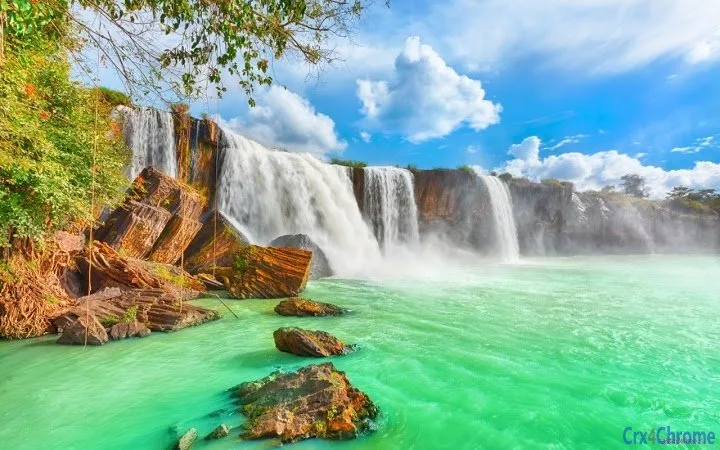

Dynamic Waterfall Desktop Theme
Overview
The Dynamic Waterfall Desktop Theme, developed by Atavi.com, offers a nature-inspired visual experience designed to enhance the desktop environment with immersive elements. Built for users seeking a calming and productive workspace, this theme integrates animated water visuals and ambient audio to create a sensory-rich atmosphere. It is intended for individuals who value aesthetic design and environmental harmony in their digital workspace, particularly those working from home or in creative fields.
The theme aims to improve focus and mental clarity by simulating the natural sounds of a waterfall and the visual flow of water. Real-world usage scenarios include remote work, study sessions, meditation breaks, and creative brainstorming. The immersive audio-visual design is intended to reduce mental fatigue and foster a sense of tranquility during long computer sessions. Atavi.com has positioned this product as a digital wellness tool that blends utility with aesthetic appeal.
While specific technical details about performance impact or system integration are not provided, the theme is designed to run as a desktop enhancement without requiring complex setup. It is available at no cost, making it accessible to a broad audience interested in digital environment customization.
Key Features & Capabilities
- Animated Waterfall Visuals – Realistic animations simulate flowing water across the desktop background, creating a dynamic and engaging visual experience.
- Soaring Ambient Audio – Integrated sound effects of a waterfall and light sprays provide a calming auditory backdrop to support focus and relaxation.
- Nature-Inspired Design – The theme draws from natural landscapes, emphasizing serenity and visual harmony to elevate the user’s mood.
- Platform Compatibility – Designed for both Windows and Mac operating systems, allowing broad accessibility across desktop environments.
- Lightweight Installation – At 15.3 MB, the theme is compact and does not impose significant storage demands.
Users can apply the theme to transform their desktop into a living natural scene. The visual elements respond to screen activity, maintaining a continuous flow that adapts to the user’s workflow. The audio layer runs in the background, adjusting to ambient noise levels to avoid disruption. This makes it ideal for use during work, study, or downtime. The combination of motion and sound is intended to reduce mental clutter and support sustained attention.
User Interface, Workflow & Performance
The user interface of the Dynamic Waterfall Desktop Theme is minimal, focusing on seamless integration into the existing desktop environment. No additional panels or controls are visible during normal operation. Users apply the theme through a simple installer or configuration tool provided by Atavi.com, after which the visuals and audio activate automatically.
Navigating the theme’s settings—when available—is expected to be straightforward, though detailed information on customization options was not provided. The workflow is designed to be passive: once applied, the theme operates in the background with minimal user interaction. This reduces cognitive load and supports uninterrupted focus.
The developer did not specify resource usage details. Performance observations are based on general software behavior patterns. The theme is expected to have a low impact on CPU and RAM usage due to its lightweight nature. Stability is assumed to be consistent with standard desktop theme applications, but no user-reported issues or crash logs were shared. Overall, the experience is intended to be smooth and distraction-free.
Compatibility & System Requirements
The Dynamic Waterfall Desktop Theme is compatible with both Windows and Mac operating systems. The software version is 1.0, with a file size of 15.3 MB. This indicates a stable initial release with a compact footprint.
Exact system requirements were not listed. Compatibility information is limited to the supported platforms. The developer did not provide details on minimum processor speed, RAM, or graphics capabilities. It is reasonable to assume that the theme functions on modern desktop systems with standard graphical capabilities. However, users with older or low-spec machines should verify compatibility manually if needed.
Installation is straightforward, with no complex dependencies or prerequisites mentioned. The theme is designed to integrate with the native desktop environment without requiring third-party software or plugins.
Pros and Cons
Pros
- Immersive nature visuals enhance focus and mood
- Soothing ambient audio supports relaxation and concentration
- Available at no cost, making it accessible to all users
- Compact file size of 15.3 MB ensures quick installation
- Supports both Windows and Mac platforms
Cons
- Specific system requirements were not disclosed
- Customization options are unclear
- No information on update frequency or future development
- Limited to visual and audio enhancements—no functional tools
- Performance impact on older systems is unknown
FAQ Section
Is the Dynamic Waterfall Theme free to use?
Yes, the theme is available at no cost. There are no subscription fees or in-app purchases required.
Can I use this theme on both Windows and Mac?
Yes, the theme is designed to work on both Windows and Mac operating systems.
Does the theme require an internet connection?
The theme does not require an ongoing internet connection to function. The audio and visual elements are embedded within the application.
How do I install and apply the theme?
Installation is performed via a downloadable installer provided by Atavi.com. After installation, the theme activates automatically or through a simple configuration step.
Will this theme affect my computer’s performance?
The developer did not specify resource usage details. However, with a file size of 15.3 MB and a focus on visual and audio effects, it is expected to have minimal impact on system performance.
Final Thoughts & CTA
The Dynamic Waterfall Desktop Theme offers a unique blend of visual and auditory design to create a calming and productive digital workspace. Its nature-inspired visuals and ambient sounds are thoughtfully crafted to support mental well-being and enhance focus. While it does not include functional tools, its purpose as a mood-enhancing environment is clear and effectively delivered.
Users seeking a serene, immersive desktop experience—especially those working remotely or in creative roles—will find value in this lightweight, free application. The cross-platform availability and low system footprint further increase its appeal.
Download Dynamic Waterfall Theme now







